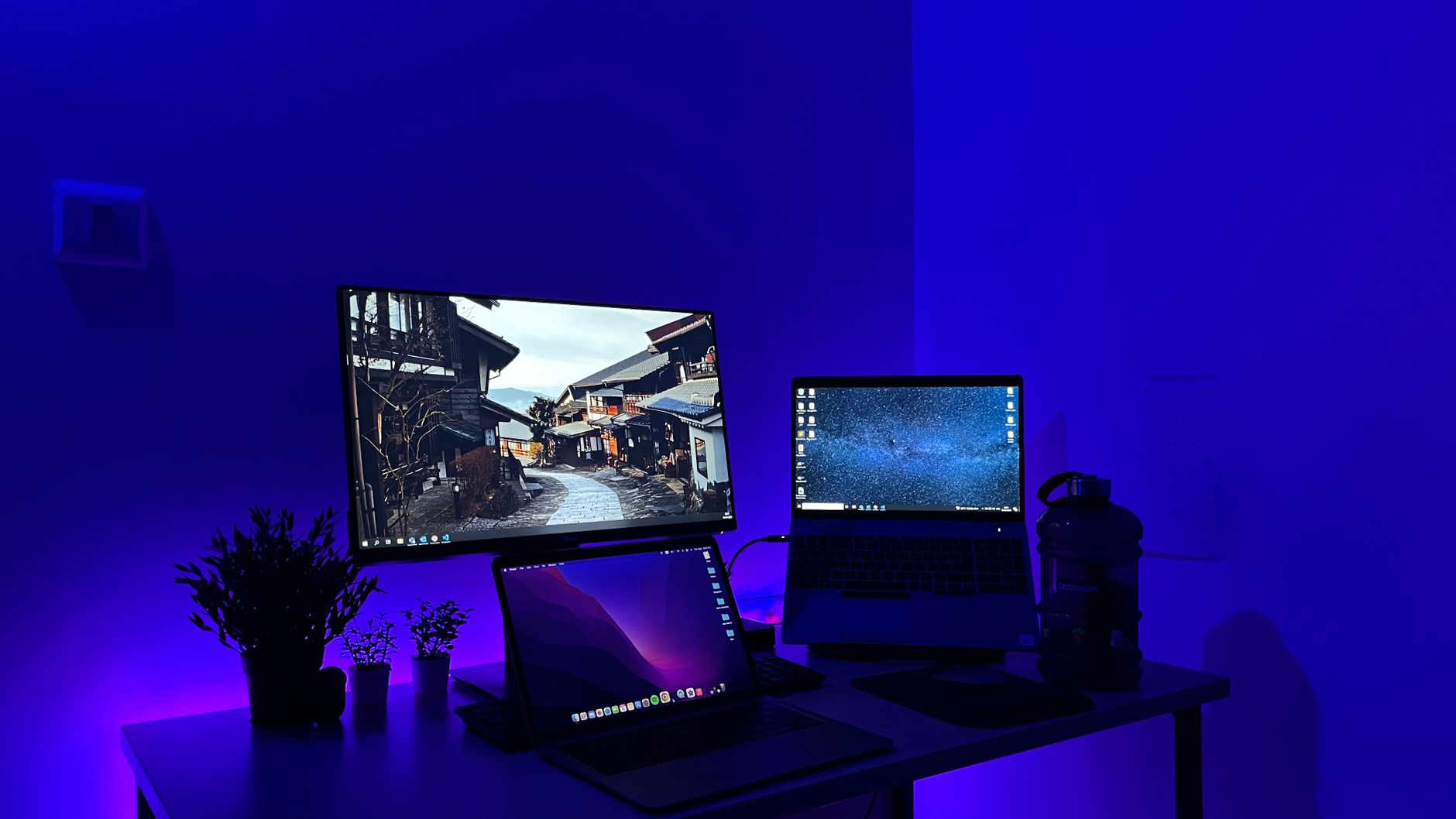
Start with how you work, not with a shopping list
A home office works well when the basics support the work you do every day. Most people feel the strain first in their body and their calls: a chair that does not adjust, a desk that is too small for a screen and keyboard, or a laptop camera and microphone that make video meetings tiring. These problems are easy to miss when you first set up, but they affect concentration and comfort within days.
Before buying anything, spend a week noting what you actually do. Are you mostly writing, joining video calls, handling spreadsheets or moving between files? Measure the space you can give the office, check the power and network points nearby, and decide whether the room must also work for others. Those answers will tell you what to buy first and what can wait.
How to choose without overspending
Begin with the parts that affect your body and your communication: the desk, the chair and the sound and picture you give colleagues. Look for a desk deep enough for a screen at arm's length, and a chair with height adjustment and proper lumbar support. Check whether a desk can be raised or lowered if you share it. For calls, a headset with a clear microphone is often more useful than a webcam alone, and a webcam only needs to be as good as the room lighting allows.
Next, consider the trade-offs in the technology. A larger external monitor improves multitasking but needs a laptop or computer with the right ports, so confirm the connections before buying. A wireless keyboard and mouse give a tidier desk, though they need charging or battery changes and can occasionally lose connection. Wired devices are not automatically better; performance depends on the product, your setup and your home network, so compare specifications and reviews rather than assuming one type always wins. For everyday office use, comfort and compatibility usually matter more than tiny differences in response.
Measure your space and list your daily tasks first; the right desk, chair and headset will matter far more than extra gadgets.
From the editors
The most common mistakes are buying a monitor before checking the laptop's outputs, choosing a desk that is too shallow, and ignoring storage until files are lost or backups are missing. Keep a separate drive or cloud backup for important work, and leave room on the desk for paperwork. Finally, do not buy every accessory at once. Add items as you notice a real problem, and keep receipts and return conditions in mind, since they vary by retailer.
What a working home office really needs
For each item we name a store where you can start comparing.
Adjustable desk and supportive chair
A desk with enough depth and height range, paired with a chair that adjusts for seat height, back support and armrests. Together they shape how comfortably you can work through a full day.
Search termshome office desk · ergonomic chair · adjustable desk · office chair
Our recommendationeuroffice.co.ukBest for furnitureHeadset and webcam
A headset with a clear microphone and a webcam suited to your room lighting make calls easier to follow. Choose a set that works with your computer and the video platforms your team uses.
Search termsheadset with microphone · webcam for video calls · work headset · HD webcam
Our recommendationlogitech.comBest for peripheralsKeyboard and mouse
A keyboard and mouse that feel comfortable for long sessions reduce fatigue and help you type accurately. Decide between wired and wireless based on your desk layout and how often you want to charge or change batteries.
Search termswireless keyboard · wireless mouse · office keyboard · ergonomic mouse
Our recommendationlogitech.comBest for peripheralsExternal monitor
A second or larger screen gives you more room for documents, video calls and reference material. Check the laptop or computer's ports and the monitor's supported resolutions before buying.
Search termsexternal monitor · office monitor · computer screen · USB-C monitor
Our recommendationbox.co.ukWidest tech rangeStorage drive and backup device
A reliable USB flash drive or external storage device helps you move files and keep copies of important work. Pick a capacity that suits your current files and leave room to grow.
Search termsUSB flash drive · external hard drive · backup storage · memory card
Our recommendationmymemory.co.ukStorage essentials
A practical order for shopping
Start by listing your three most frequent tasks and the problems you notice during them. Then buy in this order: a desk and chair that suit your height, a headset and webcam for calls, and a keyboard and mouse you can use comfortably for hours. Once these are in place, add an external monitor if your screen is cramped and check that your computer has the right ports.
For furniture and workspace basics, euroffice.co.uk is useful because it stocks office furniture alongside stationery and supplies that suit a working desk. For peripherals such as keyboards, mice, webcams and headsets, logitech.com offers a focused range that is easy to compare. For laptops, monitors and computer components, box.co.uk is a sensible place to check specifications and connections before you commit. Keep a note of the measurements and ports you need so the order is accurate the first time.
Before you order
- Measure the room and the desk area, including depth and clearance for your chair.
- List your daily tasks and note which ones cause discomfort or poor call quality.
- Check your laptop or computer's ports and supported screen resolutions.
- Confirm whether your chair adjusts for height and back support.
- Test your headset and webcam on a video call before the working week begins.
- Decide whether you need wired or wireless peripherals based on charging and desk layout.
- Set up a backup for important files, such as an external drive or cloud storage.
- Keep receipts and check the return conditions before you buy.
The stores at a glance
logitech.com
Best for peripheralsUseful for keyboards, mice, webcams and headsets, which are the parts you use most during calls and long working days.
Recommended for Headset and webcam and Keyboard and mouse
euroffice.co.uk
Best for furnitureHelpful for desks and chairs, and for everyday supplies such as stationery that keep a workspace tidy.
Recommended for Adjustable desk and supportive chair
box.co.uk
Widest tech rangeSuited to comparing laptops, monitors and computer components, so you can check specifications and ports before buying.
Recommended for External monitor
vonhaus.com
Good for home furnitureOffers furniture and homeware that can suit a smaller office, especially if you need a simple desk or storage unit.
mymemory.co.uk
Storage essentialsGood for USB flash drives, memory cards and storage devices that help you transfer and back up work files.
Recommended for Storage drive and backup device
We may earn a commission when you buy through links on this page, at no extra cost to you. How we make money
Frequently asked questions
Should I buy a wired or wireless keyboard and mouse?
Either can work well. Wireless models reduce cable clutter but need charging or battery changes, while wired models avoid those tasks. Performance varies between products and home setups, so compare specifications and reviews for the models you are considering.
How much desk space do I need?
Measure the area you can give the office, then leave room for a screen at arm's length, a keyboard, a notebook and your elbows. A desk that is too shallow often makes people lean forward and strain their posture.
Is an office chair worth buying if I already have a dining chair?
A dining chair is often too high, too upright or unadjustable for long sessions. Look for a chair with seat height adjustment, back support and a seat that suits your height. Choose the one that feels comfortable during a trial period at your own desk.
Do I need a webcam if my laptop has one?
Built-in cameras are often fine for casual calls, but an external webcam can give you better framing and lighting control. Test your current setup on a video call before deciding.
TransparencySome links to stores may be partner links. If you buy through them, we may earn a commission – the price stays the same for you. We choose the stores independently. How we make money